Hacker: Secret Codes & Ciphers
Vidmark Inc.Libraries & Demo
4.0364.00 Reviews
- Version
- 2.3.2
- Installs
- 5.00M
- Age Rating
- Everyone
Screenshots
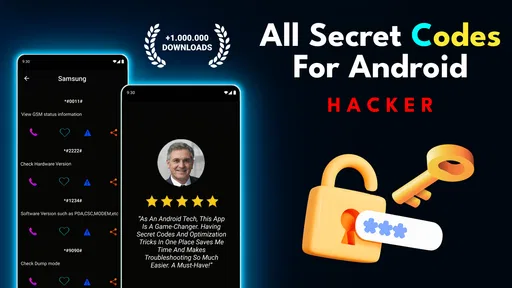
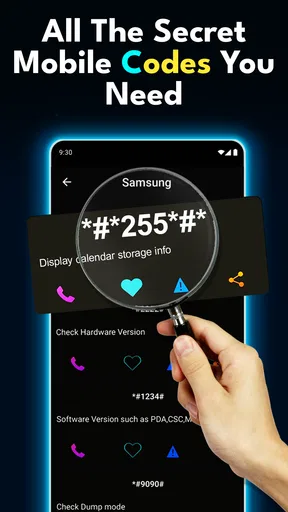
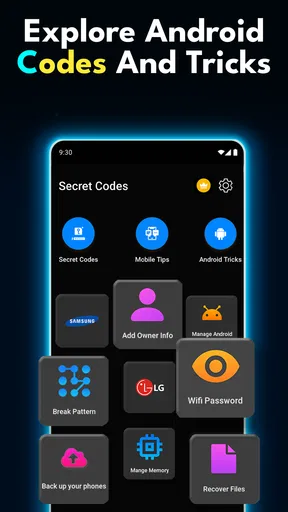
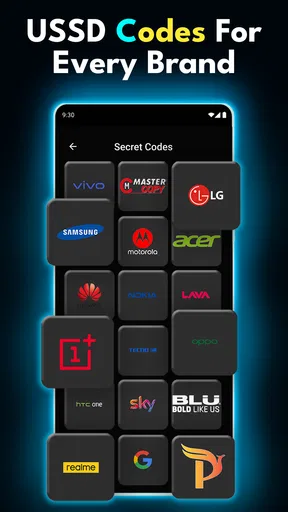
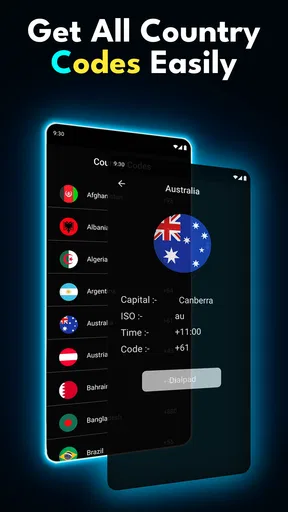
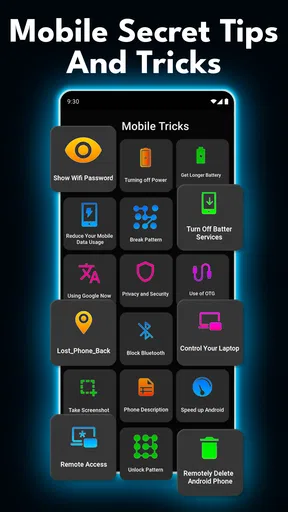
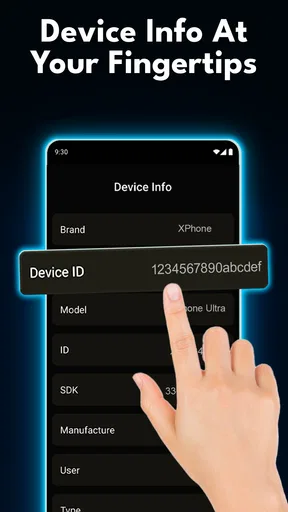
Our Review of Hacker: Secret Codes & Ciphers
 Analysis by Appyee
I approach Hacker: Secret Codes & Ciphers as a puzzle app first and a practical phone utility second. Its appeal is the pleasure of decoding messages, not a promise that every hidden setting on every device can be unlocked. That distinction matters: the title may sound like a toolbox for changing a phone, while the experience described here is centered on cipher challenges. If you enjoy working through clues at your own pace, that focus can be a welcome change from apps that bury the activity under menus or setup.
It sits in the libraries-and-demo area of the app world, though its day-to-day use feels closer to a compact brain teaser. Vidmark Inc. is the developer, and the app is free to install. It has an average rating of 4.2 from around 21 thousand ratings, with over 5 million installs. That level of uptake suggests plenty of people have tried it, but I would still judge it by whether its puzzle style suits you rather than treating popularity as a guarantee.
Reading the screen and finding your way
The interface is one of the parts I found easiest to settle into. Its dark, cryptic look fits the subject, and the layout is described as uncluttered, so the puzzles remain the main event rather than competing with a maze of controls. For a short session, that directness is useful: I can focus on the message in front of me instead of first learning a complicated navigation system.
There is a trade-off in a moody visual style, though. A dark theme can feel comfortable in a dim room, but it may not be the best choice in bright sunlight or for someone who prefers high contrast between text and background. I would check whether the puzzle text is comfortable to read on your own screen before settling in for a long session. Screen size and brightness can change how cramped a coded message feels, especially when you are comparing repeated letters or symbols.
The app’s minimal presentation also means the puzzle itself has to do most of the teaching. That can be satisfying for someone who likes to infer a pattern, but a newcomer may need patience when a cipher’s logic is not immediately obvious. The hints help bridge that gap, and I would use them as a learning aid: first identify what you have already noticed, then ask for a nudge rather than tapping through for an answer. That makes it easier to understand why a solution works, not merely reach the next screen.
How the puzzle experience works in practice
Hacker: Secret Codes & Ciphers is like stepping into a world where you’re the hero, tasked with decrypting mysterious messages and unearthing secrets. The app is cleverly designed, offering a wide range of codes and ciphers that will keep your brain buzzing. Right from the start, you’re thrown into a labyrinth of puzzles that are both challenging and incredibly satisfying to solve.
Diverse Puzzles for Every Skill Level
The beauty of this app lies in its variety. Whether you’re a newbie or a seasoned codebreaker, there’s something for everyone. You’ll encounter classic ciphers like Caesar and Vigenère, alongside more complex ones that will make you scratch your head in the best way possible. Each level ramps up the difficulty, ensuring you’re never bored but always engaged.
That mix is most useful when you treat each puzzle as practice in spotting a different kind of structure. With a Caesar cipher, I would start by testing whether letters appear to have shifted by a consistent amount; with Vigenère, I would be alert to the possibility that a single repeated substitution will not explain the whole message. Keeping a small note of candidate patterns can prevent aimless guessing, especially if you put the app down and return later. The practical benefit is not that the puzzles turn you into a security specialist, but that they encourage careful observation and logical testing.
The developers have done a fantastic job of balancing challenge with accessibility. The hint system is a lifesaver when you’re stuck, providing just enough guidance without giving everything away. It’s perfect for those moments when you’re so close to solving a puzzle but need a little nudge in the right direction.
Making the app fit your pace
This is a good match for small pockets of downtime because a cipher gives you a clear task to return to: inspect the message, test a hypothesis, and decide whether you need a hint. If I were using it during a commute, I would choose a moment when I can give the screen my attention rather than trying to solve while walking or handling another task. A crowded train or a quick break can suit a brief attempt, but a complex clue may be better saved for somewhere quiet where interruptions are less likely.
It can also work as a shared activity. One person can look for repeated symbols while another tries a likely letter pattern, then you can compare reasoning before using a hint. That approach makes the app a low-pressure way to introduce someone to substitution and keyword-style puzzles without turning the session into a lesson. It is less suitable for a group that wants fast rounds or noisy, competitive play; its appeal is concentration and the gradual satisfaction of making a clue click.
For a realistic everyday example, imagine having ten minutes before an appointment. I would open a puzzle, spend a few minutes checking for repeated letters or a likely shift, and stop when I need to leave rather than rushing through a hint just to finish. On returning, I could pick up the same line of reasoning. That stop-and-resume style is a better fit for codebreaking than treating every spare minute as a race to clear content.
Motor and sensory comfort
Because the core activity involves reading coded text and entering or selecting responses, the main accessibility question is whether those interactions feel comfortable on your device. I would try a short puzzle first and notice whether the text is easy to distinguish, whether the controls are comfortable to reach, and whether repeated input becomes tiring. If small on-screen targets or prolonged close reading are difficult for you, the experience may be more demanding than the clean layout initially suggests.
A useful personal adjustment is to change the phone’s own display settings before a longer session, such as raising brightness in a bright room or choosing a more comfortable system text size where the app respects it. I would not assume that every adjustment changes the puzzle layout, so a quick test is sensible. Taking a pause between challenges can also help if you find yourself squinting or making careless guesses from fatigue. These are ordinary ways to make a screen-based puzzle more manageable, not a substitute for controls the app may not offer.
Sound is not central to the way I would approach the puzzles; the work is visual and analytical. That makes the app potentially convenient in a quiet setting or where audio would be unwelcome, but it does not remove the need to read closely. If you prefer spoken instructions, large text, or reduced visual complexity, I would test the first challenge before committing to a longer session and decide whether your usual device settings provide enough comfort.
Where it differs from other options
Compared with a general puzzle collection, this app has a narrower identity: its draw is ciphers rather than a rotation of unrelated word, number, and picture games. That focus is a strength if you specifically want to practise decoding, because the activity stays coherent. If you mainly want variety in every session, a broader puzzle app may hold your attention better. Likewise, a reference guide or a dedicated cryptography course is the better choice when your goal is a systematic explanation of how encryption works rather than learning through individual challenges.
It is also worth separating recreational ciphers from modern digital security. The classic techniques used in puzzles are useful for understanding patterns and historical methods, but solving them is not training in breaking into phones, accounts, or protected networks. I would recommend this app to someone who enjoys logic problems and wants a playful introduction to cipher ideas, not to anyone looking for a tool to bypass device security. The distinction keeps expectations realistic and the activity in its proper lane.
For a casual learner, a sensible workflow is to try a puzzle unaided, write down one or two observations, request a hint only when progress stalls, and then explain the solution back in your own words. That last step is a small but valuable test: if you can describe why a pattern fits, you have learned more than if you simply entered a successful answer. On the other hand, if you prefer clear lessons before practice, a structured learning resource will probably be less frustrating than discovering each rule through a puzzle.
Cost, expectations, and who should choose it
The app is free, with in-app purchases listed from $9.99 to $99.99 per item. I would look at the purchase details in the app before paying and decide whether the free experience already gives you the kind of puzzle practice you want. A wide price range between items makes it especially sensible not to assume every purchase is necessary. If your interest is occasional codebreaking, start without spending and judge the app by whether you return to it naturally.
It is rated for Everyone, and the current version is 1.1.21, with Android 7.0 as the minimum operating system. Those details help set basic expectations for suitability and compatibility, but they do not tell me whether a particular phone’s text will feel comfortable or whether a younger player will enjoy the difficulty. I would try it alongside the person who plans to use it, especially if they are new to cipher puzzles, and see whether the hints make the challenge inviting rather than frustrating.
I would skip it if you want a phone-maintenance utility, instant answers, a story-heavy adventure, or a broad collection of unrelated mini-games. It is also not the best pick when you need a formal course, a guaranteed accessibility setup, or a tool for real-world digital security. It makes more sense for someone who likes to sit with a message, test possibilities, and accept that some clues take longer than expected. The app’s strongest promise is a focused puzzle habit, not universal suitability.
User-Friendly Interface
One thing I really appreciated about this app was its user interface. It’s sleek, intuitive, and doesn’t overwhelm you with unnecessary clutter. Everything is laid out in a way that makes sense, and the learning curve is minimal. You can jump right into the action without any hassle, which is always a plus in my book.
I also loved the aesthetic of the app. The dark, mysterious theme complements the cryptic nature of the puzzles perfectly, immersing you deeper into the world of codebreaking. It’s these little details that make the experience so enjoyable.
Why You Should Download It
If you’re someone who enjoys a good mental workout, Hacker: Secret Codes & Ciphers is definitely worth checking out. It’s not just a game; it’s a brain exercise that’s both fun and rewarding. Plus, it’s a great way to learn about different cryptographic techniques in a practical way.
Whether you have a few minutes to spare or want to spend an afternoon solving puzzles, this app is flexible enough to fit into your schedule. It’s perfect for those moments when you need a break from reality but still want to keep your mind sharp.
So, if you’re ready to unleash your inner hacker and dive into a world of mystery and intrigue, give this app a download. Trust me, you won’t regret it!
My inclusive verdict
My recommendation depends on what “accessible” means for you. The straightforward layout, hint support, and puzzles that can be approached at different levels of confidence make the app approachable for many casual players. But visual codebreaking still asks for sustained reading and attention, and a dark presentation will not suit everyone or every lighting condition. I would test a short session with your own display settings before deciding whether it works comfortably for you.
For a curious beginner, a puzzle fan, or someone who enjoys learning by trying, this is an appealing way to spend a spare moment. For a person who needs extensive spoken guidance, very low-effort controls, a practical phone diagnostic tool, or a carefully sequenced course, another option is likely to be a better fit. I like its focused premise and the satisfaction of working out a pattern, while keeping its limits clear: it offers recreational cipher puzzles, and the best experience comes when you want exactly that.
Privacy and Permissions
See what permissions an app requests and how it handles your data.
- Phone
- directly call phone numbers
- Wi-Fi connection information
- view Wi-Fi connections
- Other
- view network connections, full network access, control vibration, prevent device from sleeping, Google Play license check
Verdict
Strengths of Hacker: Secret Codes & Ciphers
- Engaging puzzle challenges for all skill levels.
- User-friendly interface with intuitive navigation.
- Regular updates with new codes and ciphers.
- Offline mode available for on-the-go play.
- Comprehensive tutorial for beginners.
Limitations of Hacker: Secret Codes & Ciphers
- Limited hints may frustrate some users.
- Ads can interrupt gameplay experience.
- Some puzzles may feel repetitive.
- No multiplayer or social features included.
- Requires in-app purchases for extra content.
Other Releases by Vidmark Inc.
View All
USB Connector Cast Phone to TV
Libraries & Demo3.6

Update Software App: Updates
Libraries & Demo3.9

Twitter Video Download
Video Players & Editors4.6

Mirror Link Car Display
Libraries & Demo3.9
Similar Picks in This Category
View All
PGT: GFX, Launcher & Optimizer
Trilokia Inc.4.5

AusweisApp Bund
Governikus Service GmbH3.7

Cardboard
Google LLC3.2

Gamers GLTool with Game Tuner
Trilokia Inc.4.5

Multi Web Chat - Read Secretly
World Scan & Cleaner3.8

App Cloner Premium & Add-ons
App Listo1.9
Frequently Asked Questions
What is Hacker: Secret Codes & Ciphers about?
Hacker: Secret Codes & Ciphers is an interactive puzzle game designed to challenge your problem-solving skills using various cryptographic techniques. Players must decode messages using ciphers, secret codes, and other encryption methods. It's perfect for anyone interested in cryptography or looking for an engaging way to enhance their analytical skills.
Is Hacker: Secret Codes & Ciphers suitable for beginners?
Yes, Hacker: Secret Codes & Ciphers is designed to accommodate all skill levels, including beginners. The game starts with basic puzzles and gradually increases in difficulty. It includes tutorials and hints to help new players understand different cryptographic techniques, ensuring a smooth learning curve.
What are the main features of the app?
The app offers a variety of features, including multiple levels with increasing difficulty, diverse cryptographic challenges, and detailed tutorials on different ciphers. It also includes a hint system and a progress tracker to monitor your achievements, making it both educational and entertaining.
Does Hacker: Secret Codes & Ciphers require an internet connection?
No, Hacker: Secret Codes & Ciphers can be played offline. This makes it ideal for users who want to enjoy the game without the need for a constant internet connection. However, some features, such as updates or leaderboards, may require internet access.
Are there any in-app purchases or ads?
Hacker: Secret Codes & Ciphers is free to download, but it may contain optional in-app purchases and ads. In-app purchases can enhance gameplay by unlocking additional content or removing ads. Users can disable ads by purchasing the ad-free version if they prefer an uninterrupted experience.
